seogidi.com
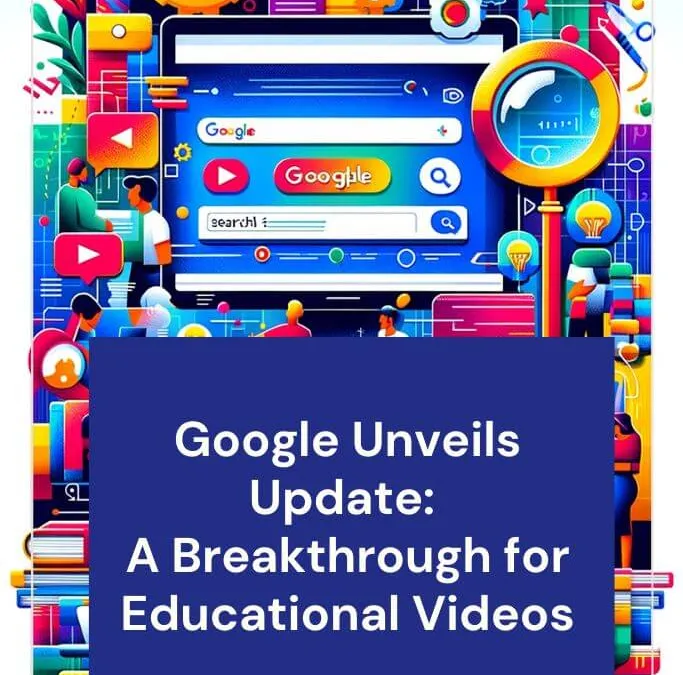
In November 2023, Google introduced learning video structured data, a way for educational publishers to tell Search a video’s education level, the concepts it teaches and whether it is an overview or a worked solution. In June 2025 Google announced it was retiring the feature, and by 9 September 2025 the documentation was gone with the note that it is “no longer shown in Google Search results.”
So if you were planning to add learning video markup to your lessons, you can skip it. The good news for teachers, tutors and schools is that the things that still get educational videos found on Google have nothing to do with that markup, and they are within reach of any small team.
What learning video structured data did (2023 to 2025)
When we first covered it, Google’s learning video documentation (since removed) described markup for academic video content. Publishers could describe:
- The education level a video was aimed at
- The concepts and skills it covered, with optional alignment to frameworks such as the US Common Core standards
- Clips within a longer video, with start and end offsets, for example separating a concept overview from a problem walkthrough
- Problem walkthrough details, for videos that solved a specific question step by step
Google could then show small “information chips” with the education level and video type next to the result. At launch, the feature worked globally in English on desktop and mobile and was meant for academic learning content.

For a WAEC or JAMB revision channel, that looked useful. A student searching a topic could see at a glance whether a video was a quick overview or a full worked answer.
Why Google retired it
On 12 June 2025, in a post titled Simplifying the search results page, Google said it would phase out seven structured data features. Search Engine Journal’s report lists them:
| Retired feature | Who it affected |
|---|---|
| Book Actions | Book publishers and retailers |
| Course Info | Course providers |
| Claim Review | Fact-checkers |
| Estimated Salary | Job and salary sites |
| Learning Video | Educational video publishers |
| Special Announcement | Organisations posting COVID-era notices |
| Vehicle Listing | Car dealers and marketplaces |
Google said it would “continue to actively support a range of structured data types that users find helpful,” as Search Engine Land reported. Two lines from its announcement matter most. It said, “This update won’t affect how pages are ranked.” And it said use of these types “outside of Google Search (and dependent features) is not affected.”
Google’s documentation changelog shows the learning video, course info, estimated salary, special announcement and vehicle listing pages were removed on 9 September 2025.
Other education features have gone too
The clean-up did not stop there. The same changelog records that practice problem structured data was removed from Search on 6 January 2026. FAQ rich results, which many school and course sites relied on, stopped appearing from 7 May 2026. If your education site was built around rich result markup, much of that visual advantage has gone.
Should you remove learning video markup from your site?
No need. Google said the change does not affect ranking, so leftover markup will not hurt you. Other platforms and search engines may still read schema.org types, so there is no urgency to strip it out.
Just do not add new learning video markup expecting a Google feature in return. Put that effort into the steps below.
What still gets educational videos found on Google
Give each lesson its own watch page
This is the rule that decides most video visibility today. Since late 2023, Google only shows video results for pages where the video is the main content. Its video SEO best practices call this a “watch page” and say the page “must be indexed” and “performing well in Search” before the video is considered. We explain how that rule came about in our post on video in Google Search results.
A lesson buried in a long blog post will rarely get a video thumbnail. A page titled “Simultaneous equations: JAMB past question walkthrough” with the video at the top and a short summary below has a real chance.
Use VideoObject markup and a video sitemap
Learning video was an add-on to VideoObject, and VideoObject is still supported. Give each video a unique name, description and thumbnail URL. If you host your own files, list them in a video sitemap with the watch page in the <loc> tag.
Mark the key moments
The clip idea from learning video lives on in key moments. Google’s guidance says you can use Clip structured data to “specify the exact start and end time to each segment, and what label to display for each segment.” On YouTube, timestamps in the description do the same job. For a 40-minute revision class, chapters such as “Question 1: quadratic equations” let students jump straight to what they need.
Write for the student’s actual search
Students search the way they talk: “how to solve simultaneous equations JAMB”, “photosynthesis explained simply”, “2024 WAEC physics question 7”. Match your titles and descriptions to those phrases rather than to curriculum codes. Then answer the question in the first minute of the video and the first lines of the page.
Prepare for AI answers
Google’s AI Overviews and AI Mode increasingly answer study questions directly. Google’s AI features documentation says “there are no additional requirements to appear in AI Overviews or AI Mode,” and that you should not create special markup for them. A clear text summary on each watch page helps here, because AI answers draw on text. Our post on what AI Overviews mean for your traffic covers the wider effect.
What this means for Nigerian schools and tutors
Many private schools and tutorial centres post lesson videos to YouTube or WhatsApp and stop there. The video may be excellent, but it is not attached to the school’s own site, so it does nothing for the school’s own search visibility.
A simple fix: put your best lessons on your website, one watch page each, with your school’s name and location on the page. A parent in Ikeja searching for a “good maths tutor in Lagos” may find the lesson before they find your fees page. We cover the enrolment side of this in the empty desk problem, and our work on SEO for education builds these pages into a wider plan.
Frequently asked questions
Is learning video structured data still supported by Google?
No. Google announced its retirement in June 2025, and its documentation records the pages as removed on 9 September 2025, with the note that the feature is no longer shown in Google Search results.
Does leftover learning video markup hurt rankings?
No. Google said the retirement “won’t affect how pages are ranked.” You can leave existing markup in place, but there is no Google benefit in adding more.
What structured data should I use for educational videos now?
Use VideoObject for each video, and Clip markup for key moments if you host the video yourself. For YouTube videos, timestamps in the description are enough for chapters.
Why is my lesson video not showing in Google?
The most common reason is that the video is not the main content of its page. Check the Video indexing report in Search Console. If it reports that the video is not the main content, move the video to its own watch page.
If you want to see how your school or course pages perform in search today, our free SEO audit is a good place to start.
Sources
- Google retires seven structured data features, Search Engine Journal (June 2025)
- Simplifying the search results page, Google Search Central Blog (June 2025)
- Google to drop support for several rich result types, Search Engine Land
- Latest Google Search documentation updates, Google Search Central
- Video SEO best practices, Google Search Central
- AI features and your website, Google Search Central
Reports, articles and industry research, by email
Original Nigerian search data a few times a year, new guides as they are published, and a short note when Google or Meta changes something that affects businesses here. No sales emails, unsubscribe in one click.

Want this done for your business?
Get a free SEO audit: rankings, technical issues, competitor gaps and the quickest wins, within 48 hours.